
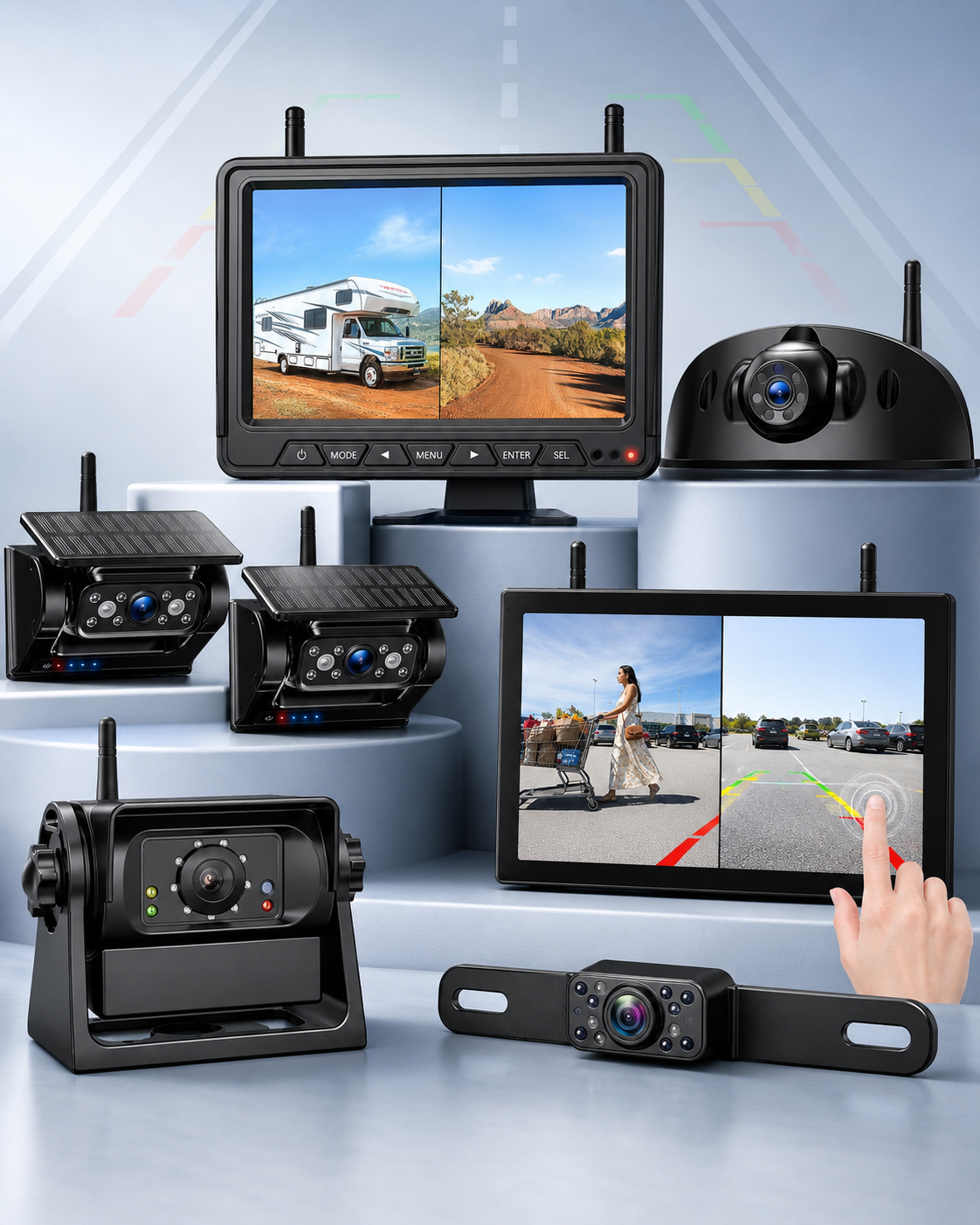
Backing up a pickup can be difficult, especially when the bed is loaded, a tonneau cover blocks part of the view, or a trailer is connected. A good backup camera for truck use gives you a wider, clearer look behind the vehicle. It can help you see hitch balls, parking lines, curbs, equipment, cars, pets, and other obstacles that may be missed in the mirrors.
The best rear view camera is not always the model with the largest screen or the longest feature list. It needs a reliable picture, a useful field of view, good performance in low-light conditions, low video lag, and enough durability to handle rain, road grime, vibration, and temperature changes. The right choice also depends on whether you want a permanent wired installation, a plug-in wireless kit, or a portable camera that can be moved between a truck and trailer.
This guide covers the best wired and wireless backup camera for truck options, along with picture quality, connectivity, accessories, price, installation, and the features that can improve the everyday driving experience.
Quick Pick: For an affordable permanent installation, the eRapta ERT01 is a practical wired camera. Drivers who want minimal wiring should consider an AUTO-VOX solar wireless model. For towing, a larger Fookoo or ZEROXCLUB multi-camera system provides a better view around a truck and trailer.
Best Backup Camera for Truck Models at a Glance
Rear view camera | Best for | Connectivity | Display | Standout feature |
|---|---|---|---|---|
eRapta ERT01 | Best budget wired camera | Wired video | Uses a compatible monitor or radio | Simple, dependable license-plate installation |
AUTO-VOX Solar Wireless Camera | Best easy installation | Wireless | Included monitor, depending on model | Solar-assisted charging and no long video cable |
Fookoo 7-Inch Wireless System | Best for towing | Digital wireless | 7-inch monitor | Split-screen viewing and recording capability |
ZEROXCLUB 10.1-Inch System | Best large display | Digital wireless | 10.1-inch monitor | Supports multiple camera views |
Magnetic Wireless Camera System | Best portable option | Wireless | Usually a 7-inch monitor | Fast, removable mounting for trailers and work trucks |
Best Budget Wired Backup Camera for a Truck
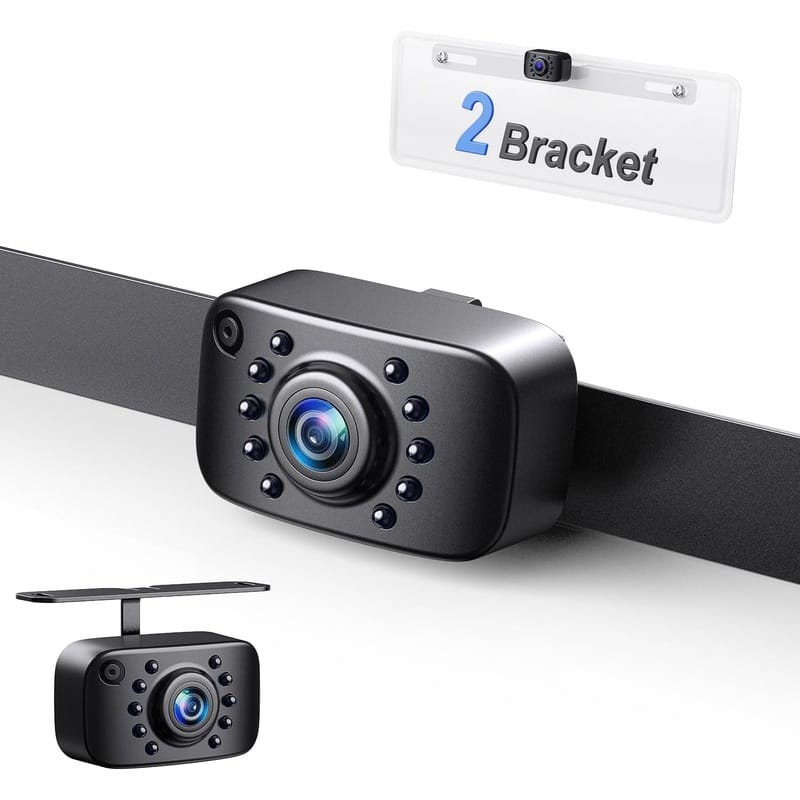
The eRapta ERT01 is a straightforward backup camera for truck owners who want a decent, affordable camera without paying for a complete wireless system. It mounts near the rear license plate and connects to a compatible display or aftermarket stereo with a composite video input.
Its wired connection is the main advantage. Once installed correctly, the camera does not have to send video through the cab by radio signal, so the picture is less likely to freeze or suffer interference. That reliability is useful on a long pickup, a work truck, or in an area crowded with Wi-Fi and Bluetooth devices.
The camera uses a wide viewing angle to show more of the area behind the bumper. It also includes assistance for low-light conditions and a weather-resistant housing designed for exterior use. The compact camera is easy to position above or beside the license plate without making the back of the truck look cluttered.
The tradeoff is installation. A video cable must run from the rear of the truck to the dashboard, and the camera needs a power connection. Wiring it to the reverse light makes the image appear when the transmission is shifted into reverse. It can also be connected to switched power if you want an always-available rear view, provided the monitor supports it.
Best features:
- Stable wired video connection
- Wide rearward view
- Night-vision assistance
- Exterior-rated construction
- Compact license-plate mounting position
- Works well with many aftermarket displays and stereos
Keep in mind: The ERT01 outputs a traditional CVBS video signal. Confirm that your monitor or head unit accepts that signal before buying.
Best for Easy Installation
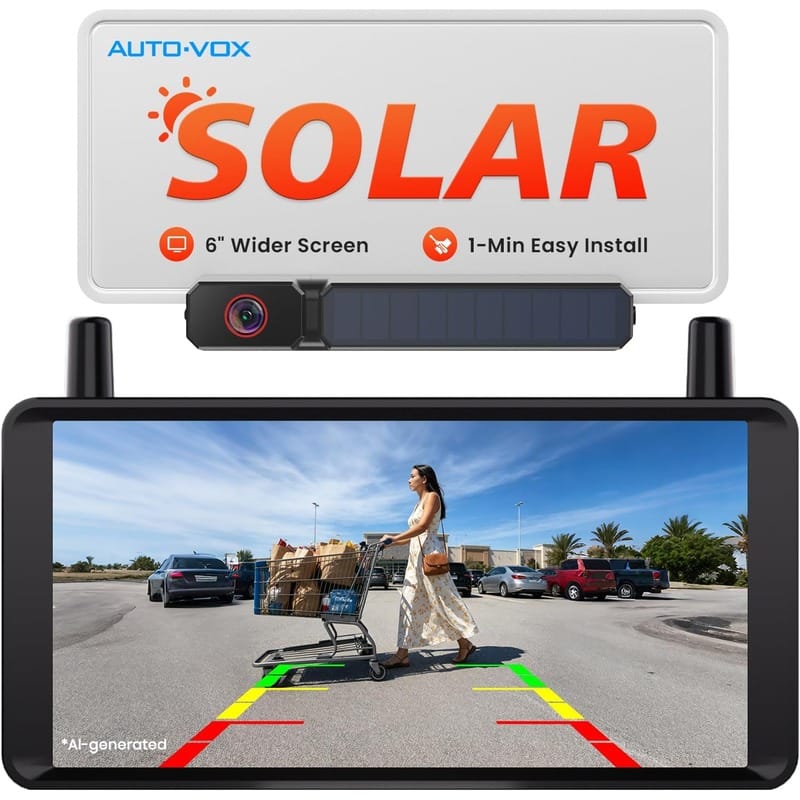
An AUTO-VOX solar wireless backup camera is a good fit for drivers who do not want to route a long video cable underneath the truck or through the cab. The rear view camera typically mounts around the license plate and sends the image wirelessly to a monitor on the dashboard.
Solar assistance helps maintain the camera battery during normal outdoor use, while USB-C charging gives you another way to top it off. That combination can make installation much easier than a conventional system because there is no video cable between the camera and monitor. Some current AUTO-VOX models are designed for a no-drill setup that can be completed in only a few minutes.
This type of camera is especially convenient for a leased truck, an older pickup you do not want to modify, or a vehicle that only needs a camera occasionally. It can also be a practical solution when access behind the dashboard is limited.
Wireless does not mean completely maintenance-free. Battery life varies with temperature, use, storage location, and available sunlight. A truck parked indoors or under a cover may need more frequent USB charging. The wireless connectivity should also be tested before the final mounting position is chosen so lag or a dropped picture does not become a problem in traffic or a busy parking lot.
Best features:
- No long video cable through the truck
- Solar-assisted battery charging
- USB-C charging backup
- Quick, low-impact installation
- Good option for older trucks and leased vehicles
Keep in mind: Check the exact package before ordering. AUTO-VOX offers several versions with different monitor sizes, mounting designs, and battery capacities.
Best for Trucks That Tow
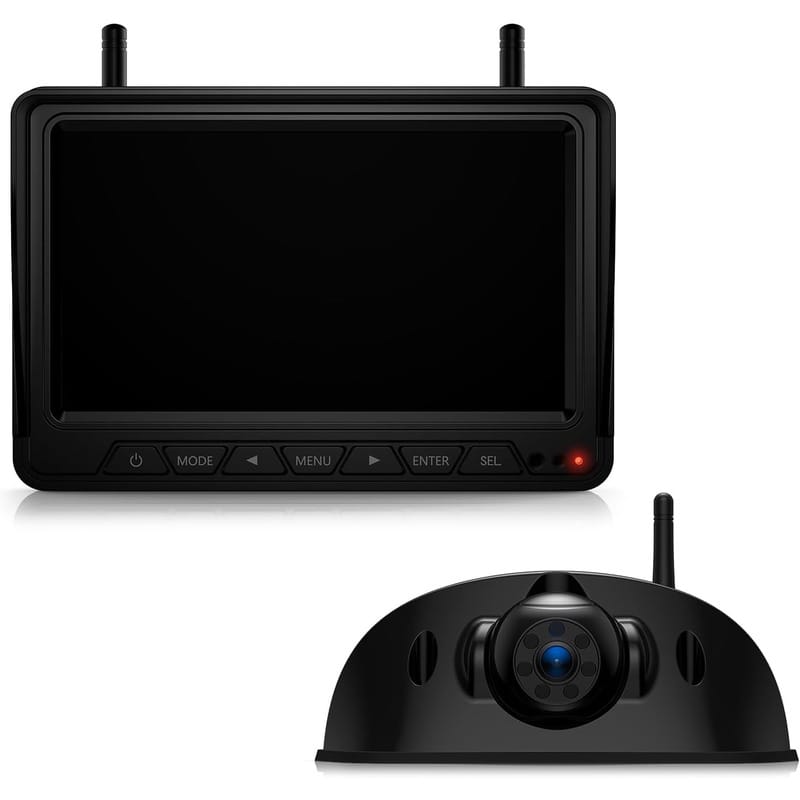
The Fookoo 7-inch wireless backup camera system is better suited to drivers who need to see behind a camper, enclosed trailer, or long work rig. Its larger monitor provides more viewing area than a small dash display, and the digital wireless connection avoids running a video cable the entire length of the truck and trailer.
The kit supports split-screen viewing, which is valuable if a second compatible camera is added. One camera can watch the rear of the truck or trailer while another covers a side, hitch, or blind spot. Loop recording can also provide a basic record of what happens behind the vehicle when a memory card is installed.
Infrared-assisted night viewing improves visibility in dark campsites, loading areas, and driveways. The exterior camera is built for wet conditions, and the system is compatible with many RVs that already have a Furrion-style prewired mounting location.
This system is larger and more involved than a license-plate camera, but it gives a towing driver a much more useful view. The important detail is camera placement: metal trailer walls, cargo, and the distance between the camera and monitor can affect any wireless system. Temporarily power and test the camera in the intended location before drilling holes.
Best features:
- 7-inch HD monitor
- Digital wireless transmission
- Split-screen capability
- Infrared night vision
- Loop recording support
- Useful for pickups, campers, and trailers
Keep in mind: Although the video connection is wireless, the rear camera still requires power. A prewired trailer makes installation much easier.
Best Large-Screen Truck Backup Camera
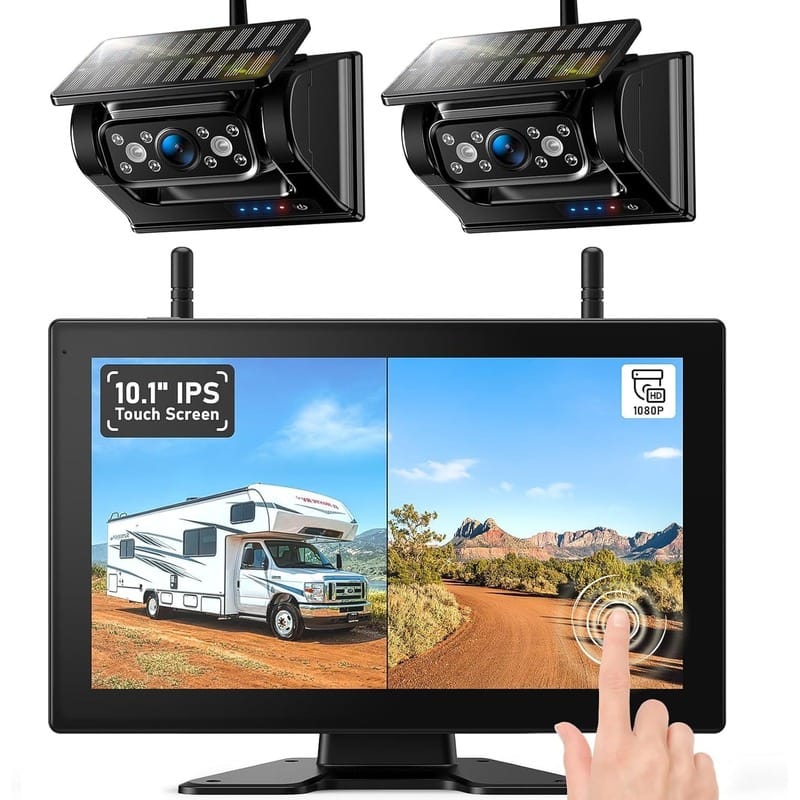
Drivers who want maximum screen area should consider a ZEROXCLUB 10.1-inch wireless backup camera system. The large monitor makes it easier to spot small obstacles and compare several rear view camera angles without squeezing each view into a small section of the screen.
Select ZEROXCLUB systems support as many as four cameras and multiple viewing layouts. That makes them useful on a large truck, utility body, horse trailer, fifth wheel, or equipment trailer. A rear camera can be paired with side cameras to reduce blind areas during lane changes and tight turns.
The monitor displays a 1080p-class image on compatible models, and loop recording is available when an SD card is installed. Depending on the installation, the camera can be powered with the marker lights for an observation view while driving or connected to the reverse circuit for automatic backup use.
The large screen is excellent in a full-size truck but may be excessive in a smaller cab. Measure the dashboard area carefully and mount the display where it does not obstruct the windshield, controls, or airbags.
Best features:
- Large 10.1-inch monitor
- Supports multiple cameras on compatible systems
- Several split-view layouts
- 1080p-class display
- Loop recording support
- Well suited to long trucks and trailers
Keep in mind: More cameras require more mounting, power wiring, and setup. Start with the rear view and add side cameras only where they solve a real blind spot.
Best Portable Camera for Work Trucks and Trailers
Magnetic Wireless Backup Camera
A magnetic wireless backup camera is one of the most flexible choices for a truck owner who pulls several trailers. Instead of permanently installing a camera on every trailer, you can attach the camera to a clean steel surface, confirm its angle, and move it when the job changes.
This design works well for connecting a gooseneck or bumper-pull trailer, positioning equipment, backing toward a loading dock, or watching cargo during a slow maneuver. Rechargeable models do not require a trailer power connection, and a strong magnetic base can eliminate drilling.
Portability is also the main limitation. The camera needs to be removed or secured against theft when the truck is unattended. A magnetic mount should never be trusted on a dirty, rusty, curved, or non-steel surface. Confirm that the magnet is designed for road use and add a safety tether when appropriate.
Best features:
- Moves between trucks and trailers
- No permanent camera wiring
- Fast setup for hitching and loading
- Rechargeable options available
- Useful for farm, construction, and fleet work
Keep in mind: Aluminum truck bodies and many trailer panels are not magnetic. Test the mounting area before ordering and follow the manufacturer’s road-use instructions.
Wired vs. Wireless Backup Camera for a Truck
Both styles can produce a good picture, but they solve different installation problems.
Wired Backup Camera
A wired camera sends video through a physical cable. It usually provides the most consistent image with the least delay, lag, or interference. This is a strong choice for a permanent backup camera for truck installation that will remain in place for years.
The disadvantage is the work required to route and protect the cable. On a body-on-frame truck, the wire should follow a safe path away from exhaust heat, suspension travel, sharp edges, and moving driveline components. Any opening through the cab must use a proper grommet and weather seal.
Wireless Backup Camera
A wireless camera sends the picture by radio signal, but “wireless” usually refers only to the video connection. Most cameras still need 12-volt power unless they use a rechargeable battery and solar panel.
Wireless systems are easier to install on long trucks and trailers. A good digital connection can be very clear, but distance, metal bodywork, other electronics, and camera placement may weaken the signal. Choose a system specifically rated for the length of your truck and trailer combination, and play the live video while temporarily holding the camera in its intended location to check connection strength.
Backup Camera for Truck Price and Shopping Guide
Price can range from a low-cost camera-only unit to a premium multi-camera kit with a large monitor and recording. A basic wired rear view camera is usually the lowest-price route when the truck already has a compatible screen. A complete wireless system costs more because the selling price includes the display, transmitter, mounts, power accessories, and additional connectivity hardware.
When you visit an Amazon product page, confirm what comes in the box instead of relying only on the first photo. Some listings sell the camera alone, while others include a full kit with the monitor, wiring, plug, antenna, mounts, and installation accessories. Also check the listing date, recent review date, and whether a newer model or new-date revision has replaced the original version. An older low-date review may discuss a problem that was corrected on a newer kit.
Amazon lets shoppers browse results in several ways, but sorting A–Z alphabetically is not necessarily useful for choosing the best camera. Alphabetically selling results can place an unknown brand above a proven product. Compare relevant specifications, current price, warranty, return policy, and verified-owner opinions instead. The “newest arrivals” or new-date filter can help find recently introduced models, while recent reviews may reveal durability or connectivity issues missed in the main description.
Garmin sells trusted automotive electronics, including navigation devices and certain compatible camera accessories, but compatibility must be verified carefully. A Garmin camera does not automatically plug into every Garmin display, factory radio, or aftermarket monitor. The display must also support the correct camera source or input format. Always visit the manufacturer’s compatibility page before buying a brand-specific accessory.
What to Look for in a Truck Backup Camera
Picture Quality
Resolution matters, but the advertised number is only part of the story. The camera sensor, lens, monitor resolution, video compression, and low-light processing all affect what you actually see. A clean 720p or CVBS picture with good contrast may be more useful than a poorly processed “1080p” image.
Look for a camera that keeps bright sky from turning the ground completely dark. Good dynamic range helps when backing from a sunny parking lot into a shaded garage, facing headlights in traffic, or using the camera in low-light conditions.
Range of Vision
Most backup cameras use a wide-angle lens. A view around 130 to 150 degrees is a good balance for many pickups because it shows the corners of the bumper without making objects look extremely small or distorted.
An ultra-wide lens can cover more area, but distance becomes harder to judge. For hitch alignment, a moderately wide view with a clearly visible bumper or hitch ball is often more useful than the widest lens available.
Night Vision
Truck backup cameras may use infrared LEDs, low-light sensors, or light supplied by the reverse lamps. Infrared helps in very dark areas, while a good low-light sensor can deliver a more natural-looking image when some light is available.
The camera lens must stay clean. Dust, water drops, road salt, and condensation can scatter the light and make even a good night-vision camera look foggy.
Weather and Dust Resistance
A camera mounted below a pickup tailgate lives in a harsh location. Look for a sealed housing with a strong water- and dust-resistance rating, preferably IP68 or IP69K when accurately certified. The mounting bracket and fasteners should also resist corrosion.
Waterproofing does not protect a poorly sealed wire connection. Use weatherproof connectors, heat-shrink tubing, and a drip loop where appropriate.
Monitor Size and Mounting
A 4.3- to 5-inch monitor is compact and adequate for basic reversing. A 7-inch display is easier to read and works well for towing. A 9- or 10-inch monitor is most useful when displaying multiple cameras.
The monitor should not block the driver’s forward view. Choose a dash, windshield, mirror, or in-dash mounting method that fits the cab and complies with local windshield-obstruction rules. A well-positioned monitor improves the driving experience; a large screen mounted in the wrong place becomes a distraction.
Connectivity, Lag, and Reliability
A rear view camera should display movement smoothly enough to judge distance at parking speeds. Wired cameras normally have the lowest lag, while digital wireless models depend on signal strength and processing. A slight delay may be acceptable for slow backing, but freezing, missed frames, or repeated disconnections are not.
Test the camera with the engine running because alternators, ignition components, accessories, and other electronics can introduce interference. On a wireless kit, test connectivity with doors closed, cargo loaded, and the trailer attached. That gives a more relevant picture of how reliable the system will be during actual use.
Parking Guidelines
Adjustable guidelines can help estimate the path and distance to an object. Fixed lines are still useful, but they may not match the width of every truck. Dynamic guidelines that turn with the steering wheel usually require vehicle-specific integration and are less common on universal aftermarket cameras.
Always calibrate the lines after installation. Place measured markers behind the truck so you know what each color or line represents.
Reverse View or Continuous View
A camera powered by the reverse-light circuit operates only when the truck is in reverse. This is simple and prevents unnecessary screen use. A camera connected to an ignition-switched circuit can function as a continuous rear observation camera, which is useful when a camper shell, load, or trailer blocks the rear window.
Do not use a continuous rear camera as a substitute for mirrors and direct observation. It is another source of information, not the only one.
Trailer and Multi-Camera Support
If you tow, look for a system that can pair with at least two cameras. A hitch camera can help with coupling, while a camera at the back of the trailer shows what is behind the entire rig. Side cameras can cover blind areas on a wide camper or enclosed trailer.
Check whether the monitor can display several feeds at once and whether each camera can be mirrored or flipped independently. A rear-facing camera usually needs a mirrored image so left and right behave like a rearview mirror.
Where Should a Backup Camera Be Mounted on a Truck?
For ordinary parking, mount the camera near the centerline of the truck and high enough to see both rear corners. The area above the license plate or near the tailgate handle often gives a natural view.
For hitching, angle the camera downward so the ball mount and trailer coupler remain visible. Some truck owners use a second camera in the bed for a fifth-wheel or gooseneck hitch. On a service body or flatbed, a higher mount may provide better depth perception and keep the lens cleaner.
Before drilling, hold the powered camera in place and inspect the monitor. Open the tailgate, lower any step, and check the spare-tire access to make sure the camera and cable will not interfere.
Basic Installation Tips
- Disconnect the negative battery terminal before making permanent electrical connections.
- Test the camera, monitor, and wireless signal before mounting anything.
- Identify the reverse-light positive wire with a wiring diagram and multimeter rather than wire color alone.
- Protect all wiring with loom, grommets, fuses, and weather-resistant connections.
- Keep cables away from the exhaust, driveshaft, sharp sheet metal, and suspension travel.
- Aim the camera so a small part of the bumper or hitch is visible for distance reference.
- Calibrate the parking lines using objects placed at known distances.
- Confirm that the image is mirrored correctly before driving.
If you are not comfortable identifying circuits or routing wire around airbags and factory electronics, professional installation is worth considering.
Frequently Asked Questions
What is the best backup camera for a pickup truck?
The best backup camera for truck use depends on the installation. A wired license-plate camera such as the eRapta ERT01 is a dependable budget option for a permanent setup. An AUTO-VOX solar wireless model is easier to install, while a Fookoo or ZEROXCLUB multi-camera system is better for towing and large trucks.
Is a wired or wireless backup camera better for a truck?
A wired camera usually provides the most stable video with minimal delay. A wireless camera is easier to install, especially on long trucks and trailers. For a daily-driven pickup, wired is often the reliability choice; for towing or temporary use, wireless may be more practical.
How wide should a truck backup camera view be?
A field of view around 130 to 150 degrees works well on many pickups. It shows the corners of the truck while retaining reasonable depth perception. Wider is not automatically better because excessive lens distortion can make objects appear farther away.
Can a wireless backup camera work on a long truck and trailer?
Yes, if the system is designed for the total distance and the antennas have a clear enough signal path. Metal trailer walls, cargo, and electronic interference can reduce range. Test the signal at the planned camera location before completing the installation.
Does a wireless backup camera still need power?
Most do. The video travels wirelessly, but the camera commonly connects to a reverse light, marker light, or other 12-volt source. Rechargeable solar-assisted cameras are an exception, although they still need occasional charging.
Can I leave a backup camera on while driving?
Many systems can provide a continuous rear view when connected to switched power. This is useful with a trailer or camper shell. The installation must follow the camera manufacturer’s instructions and applicable local laws, and the display should never block the windshield.
Can I use my factory truck screen with an aftermarket camera?
Sometimes, but factory displays may require a vehicle-specific interface, wiring harness, plug, programming, or camera signal converter. Confirm compatibility with the truck’s year, make, model, radio, and video format before buying.
How much should a backup camera for truck use cost?
Price depends on whether you need only a camera or a complete rear view camera kit. A simple wired unit is generally the most affordable. Wireless, solar, recording, large-screen, and multi-camera systems cost more because they include additional hardware and accessories. Compare the entire package rather than the camera price alone.
Is video lag dangerous in a wireless rear view camera?
Noticeable lag can make precise reversing harder because the monitor is showing where the truck was a moment earlier. Always back slowly, test the connection before relying on it, and stop using the system if the image freezes or drops out. Mirrors and a direct visual check remain essential.
Will a backup camera help me connect a trailer?
Yes. A properly aimed camera can center the hitch ball under the coupler and reduce repeated trips in and out of the cab. A second camera in the bed is especially useful for gooseneck and fifth-wheel connections.
What does IP69K mean on a backup camera?
IP69K indicates protection against dust and high-pressure, high-temperature water jets under a specified test standard. It is useful for a camera exposed to road spray, but installation quality and sealed electrical connections remain just as important.
Does a backup camera eliminate blind spots?
No. It can reduce blind areas directly behind the truck, but it cannot show everything beside, beneath, or approaching the vehicle. Continue using mirrors, shoulder checks, parking sensors, and a walk-around before backing.
Final Thoughts on the Best Backup Camera for a Truck
A backup camera for truck use is one of the most useful upgrades for an older pickup or work vehicle. It can make parking easier, help align a trailer hitch, and reveal low obstacles that disappear below the tailgate. The key is choosing a rear view camera that matches the truck instead of buying only by screen size, price, or resolution.
For a simple and dependable installation, the eRapta ERT01 offers good value with a stable wired connection. An AUTO-VOX solar wireless camera is a better match for drivers who want quick installation and minimal modification. Truck owners who tow regularly should step up to a Fookoo or ZEROXCLUB system with a larger display and multi-camera support. A rechargeable magnetic camera is the most flexible choice when the view needs to move between vehicles, equipment, and trailers.
Whichever system you choose, test the view before drilling, protect every electrical connection, and keep the lens clean. A sharp, properly aimed camera is far more useful than an expensive system mounted in the wrong location. Order today!