
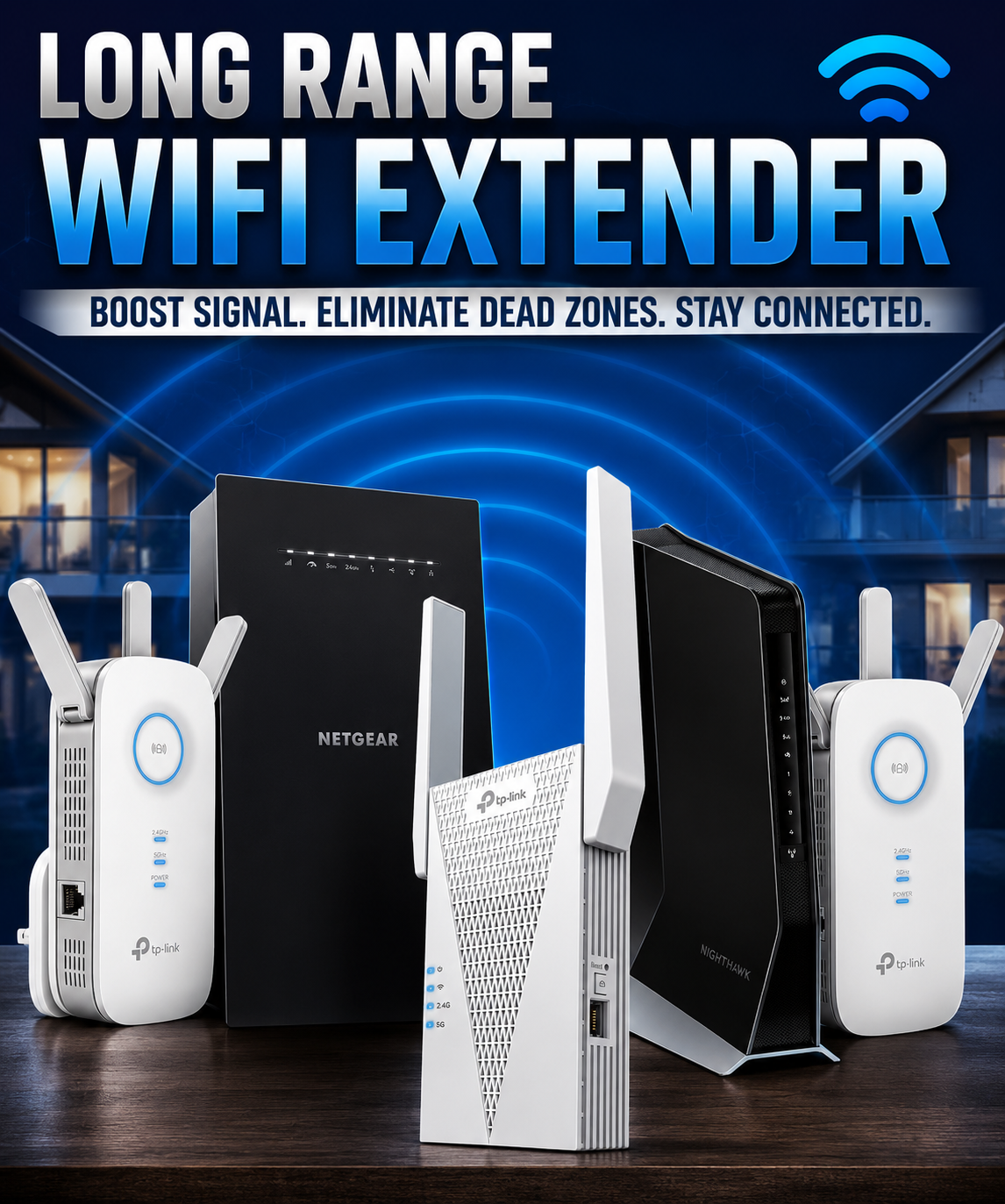
A Long Range WiFi Extender is one of the easiest and most affordable ways to improve wireless coverage throughout your home, workshop, garage, barn, office, or outdoor property. Whether your router struggles to reach the second floor, detached garage, backyard, or an entire metal building, a quality WiFi extender can dramatically improve speed and reliability.
Today's long-range extenders support WiFi 6 technology, dual-band and tri-band connections, mesh networking, gigabit Ethernet ports, and an impressive range of coverage well beyond traditional routers. Choosing the right model depends on your internet speed, building size, wall construction, and the number of connected devices.
In this guide, we'll explain how long-range WiFi extenders work, what features matter, and review the best WiFi extenders available by TP Link and Netgear Products. Remember most extenders plug inot an AC outlet for easy installation.
What Is a Long Range WiFi Extender?
A long-range WiFi extender receives the wireless signal from your existing router and rebroadcasts it to areas where coverage is weak.
Instead of replacing your router, it simply extends the wireless network farther than the router alone can reach. For example, the TP-Link RE600X maintains 55+ Mbps at 30 feet, and the Netgear EAX3000 connects at 110 feet.
They're commonly used for:
- Large homes
- Multi-story houses
- Detached garages
- Metal shops
- Pole barns
- Basements
- Outdoor patios
- RV parking
- Home offices
- Warehouses
How Does a WiFi Extender Work?
The extender connects wirelessly to your existing router.
It then creates a stronger secondary wireless signal that reaches areas where your router normally cannot.
Most modern models include:
- Automatic setup
- Smart roaming
- Dual-band operation
- Ethernet ports
- Beamforming technology
- WPA3 security
- Mobile app management
What Features Matter Most?
Coverage Area
Coverage claims vary from:
- 2,000 sq. ft.
- 5,000 sq. ft.
- 10,000 sq. ft.
- 12,000+ sq. ft.
Remember that manufacturer ratings assume open spaces. Thick walls, brick, concrete, and metal reduce range significantly.
WiFi Standard
Older extenders:
- WiFi 5 (802.11ac)
Newer models:
- WiFi 6 (802.11ax)
WiFi 6 offers:
- Faster downloads
- Better gaming
- Lower latency
- Improved streaming
- More simultaneous devices
Dual-Band vs Tri-Band
Dual-band extenders:
- 2.4 GHz
- 5 GHz
Tri-band models add another dedicated backhaul band for faster overall performance.
Ethernet Ports
Many premium extenders include Gigabit Ethernet for:
- Gaming consoles
- Smart TVs
- Desktop PCs
- Security cameras
- Streaming devices
Mesh Compatibility
If you already own a mesh WiFi system, purchasing a compatible extender creates one seamless wireless network throughout the home.
Best Long Range WiFi Extenders
Best Overall
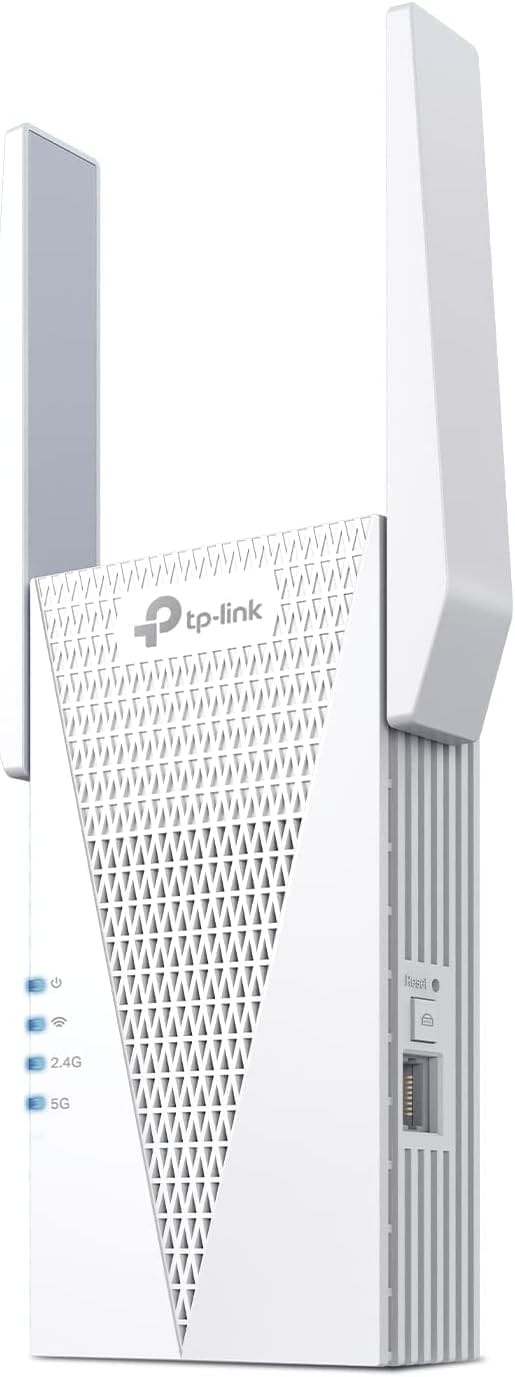
Best For: Large homes
Highlights
- WiFi 6
- Dual-band AX3000
- OneMesh compatible
- Gigabit Ethernet
- Excellent speed retention
- Easy mobile app setup
Pros
- Outstanding coverage
- Reliable performance
- Excellent value
- Great streaming speeds
Cons
- Requires decent router placement
- 𝐃𝐮𝐚𝐥-𝐁𝐚𝐧𝐝 𝐖𝐢𝐅𝐢 𝟔 𝐄𝐱𝐭𝐞𝐧𝐝𝐞𝐫 𝐰𝐢𝐭𝐡 𝟑 𝐆𝐛𝐩𝐬 𝐓𝐨𝐭𝐚𝐥 𝐁𝐚𝐧𝐝𝐰𝐢𝐝𝐭𝐡 - Extend your WiFi coverage with speeds up to 2404 Mbps (5 GHz band) and up to 574 Mbps (2.4 GHz band) for reliable 4K streaming and more. Performance varies by conditions, distance to devices, and obstacles such as walls.
- 𝐌𝐚𝐱𝐢𝐦𝐢𝐳𝐞𝐝 𝐂𝐨𝐯𝐞𝐫𝐚𝐠𝐞 𝐮𝐩 𝐭𝐨 𝟐𝟒𝟎𝟎 𝐒𝐪. 𝐅𝐭. - Two high-gain directional antennas with Beamforming technology enhance signal strength, reliability, and range, providing whole-home Wi-Fi coverage and eliminating dead zones for up to 64 devices.
- 𝐎𝐮𝐫 𝐂𝐲𝐛𝐞𝐫𝐬𝐞𝐜𝐮𝐫𝐢𝐭𝐲 𝐂𝐨𝐦𝐦𝐢𝐭𝐦𝐞𝐧𝐭 - TP-Link is a signatory of the U.S. Cybersecurity and Infrastructure Security Agency’s (CISA) Secure-by-Design pledge. This device is designed, built, and maintained with advanced security as a core requirement.
- 𝐄𝐚𝐬𝐲𝐌𝐞𝐬𝐡-𝐂𝐨𝐦𝐩𝐚𝐭𝐢𝐛𝐥𝐞 - Easily expand your network for seamless, whole-home mesh connectivity by connecting the RE715X to any EasyMesh-compatible router.* Not compatible with mesh WiFi systems like Deco.
- 𝐃𝐨𝐞𝐬 𝐍𝐨𝐭 𝐈𝐧𝐜𝐫𝐞𝐚𝐬𝐞 𝐒𝐩𝐞𝐞𝐝𝐬 - Please note that all Wireless Extenders are designed to improve WiFi coverage and not increase speeds. Actual speeds will be 50% or less from current speeds. However, improving signal reliability can boost overall performance.
- 𝐖𝐢𝐅𝐢 𝐄𝐱𝐭𝐞𝐧𝐝𝐞𝐫 𝐰𝐢𝐭𝐡 𝐆𝐢𝐠𝐚𝐛𝐢𝐭 𝐄𝐭𝐡𝐞𝐫𝐧𝐞𝐭 𝐏𝐨𝐫𝐭 - Experience wired speed and reliability anywhere in your home by connecting your favorite device to the gigabit Ethernet port.
- 𝐒𝐦𝐚𝐫𝐭 𝐀𝐝𝐚𝐩𝐭𝐢𝐯𝐞 𝐑𝐨𝐚𝐦𝐢𝐧𝐠 - Seamlessly move throughout your home with automatic connections to the strongest signal, ensuring uninterrupted coverage and optimal performance.
- 𝐀𝐜𝐜𝐞𝐬𝐬 𝐏𝐨𝐢𝐧𝐭 (𝐀𝐏) 𝐌𝐨𝐝𝐞 - Easily turn any wired connection into a powerful Wi-Fi hotspot using the Gigabit Ethernet port and AP mode.
- 𝐄𝐚𝐬𝐲 𝐒𝐞𝐭 𝐔𝐩 𝐢𝐧 𝐌𝐢𝐧𝐮𝐭𝐞𝐬 - Set up your WiFi in a few steps with the TP-Link Tether app (Android, iOS). Find the best spot for your WiFi connection with the intelligent signal indicator, and check the App for the latest firmware to ensure peak performance.
- 𝐔𝐧𝐢𝐯𝐞𝐫𝐬𝐚𝐥 𝐂𝐨𝐦𝐩𝐚𝐭𝐢𝐛𝐢𝐥𝐢𝐭𝐲 - The AX3000 range extender is compatible with almost all WiFi-enabled devices and routers or access points. It even supports new AX phones, laptops, and other devices.
Best Premium Choice
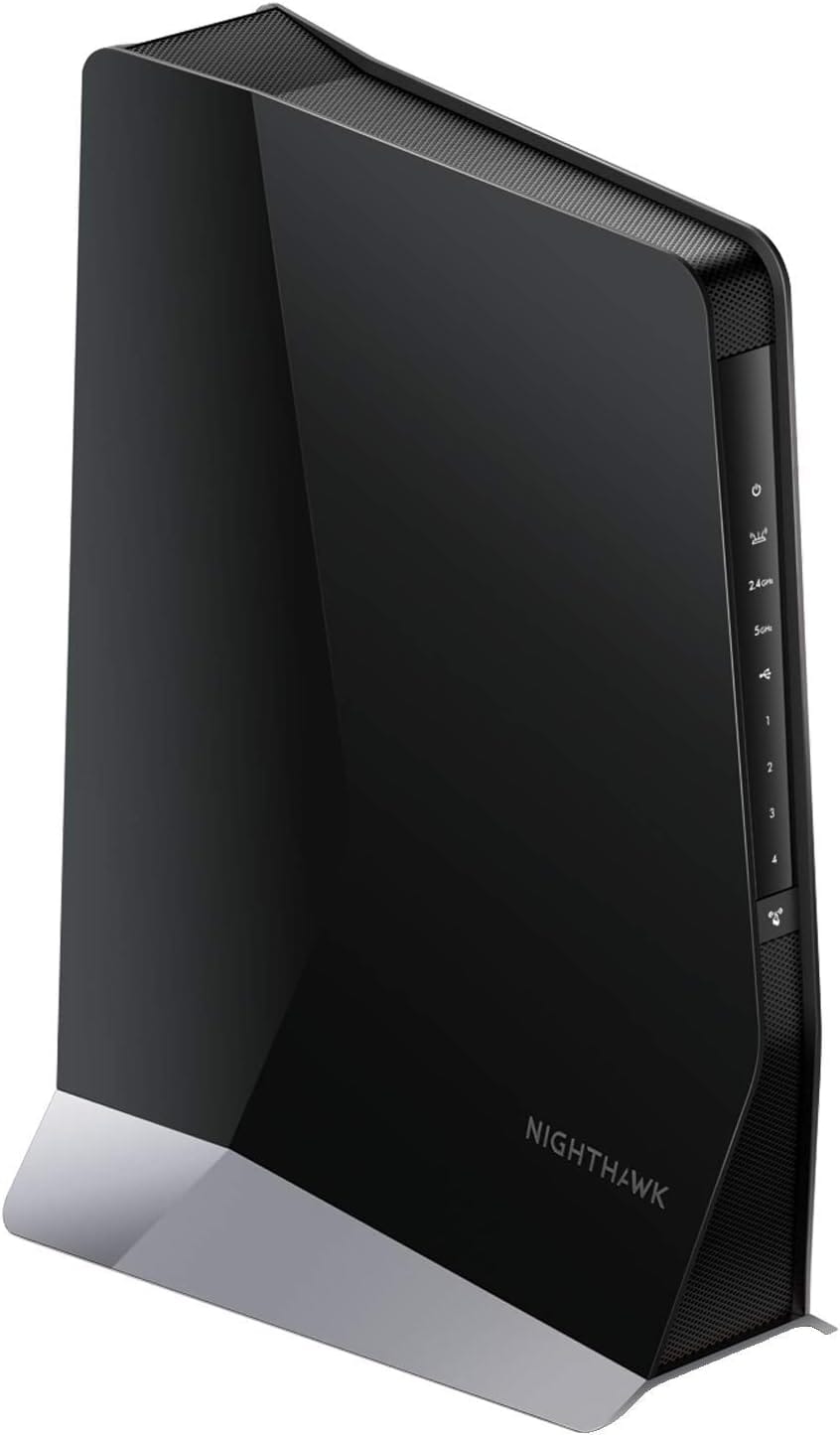
Best For: Power users
Highlights
- AX6000
- Four Ethernet ports
- Mesh capable
- High-speed backhaul
- Excellent multi-device support
Perfect for:
- Gaming
- 4K streaming
- Smart homes
- Home offices
- EXTENDED WIRELESS COVERAGE: Adds WiFi range coverage up to 2,500 sq. ft., and connects up to 30 devices such as laptops, smartphones, speakers, IP cameras, tablets, IoT devices, and more.
- SEAMLESS SMART ROAMING: Uses your existing network SSID name so you never get disconnected as you move around your home or office
- AX6000 WiFi SPEED: Provides up to 6Gbps performance using Dual-Band WiFi technology for heavy-duty 4K HD streaming and multi-player gaming.
- UNIVERSAL COMPATIBILITY: Works with any wireless router, gateway, or cable modem with WiFi, and is optimized for all WiFi 6 routers.
- WIRED ETHERNET PORTS: Simply plug in game consoles, streaming players, or other wired devices into the four 1 Gigabit ports for maximum speed.
- SAFE & SECURE: Supports WEP and WPA/WPA2 wireless security protocols.
- SIMPLE TO SETUP: Use the Nighthawk app or press the WPS button to connect to your router. Use the NETGEAR WiFi Analyzer app to find the optimal location.
Best Value
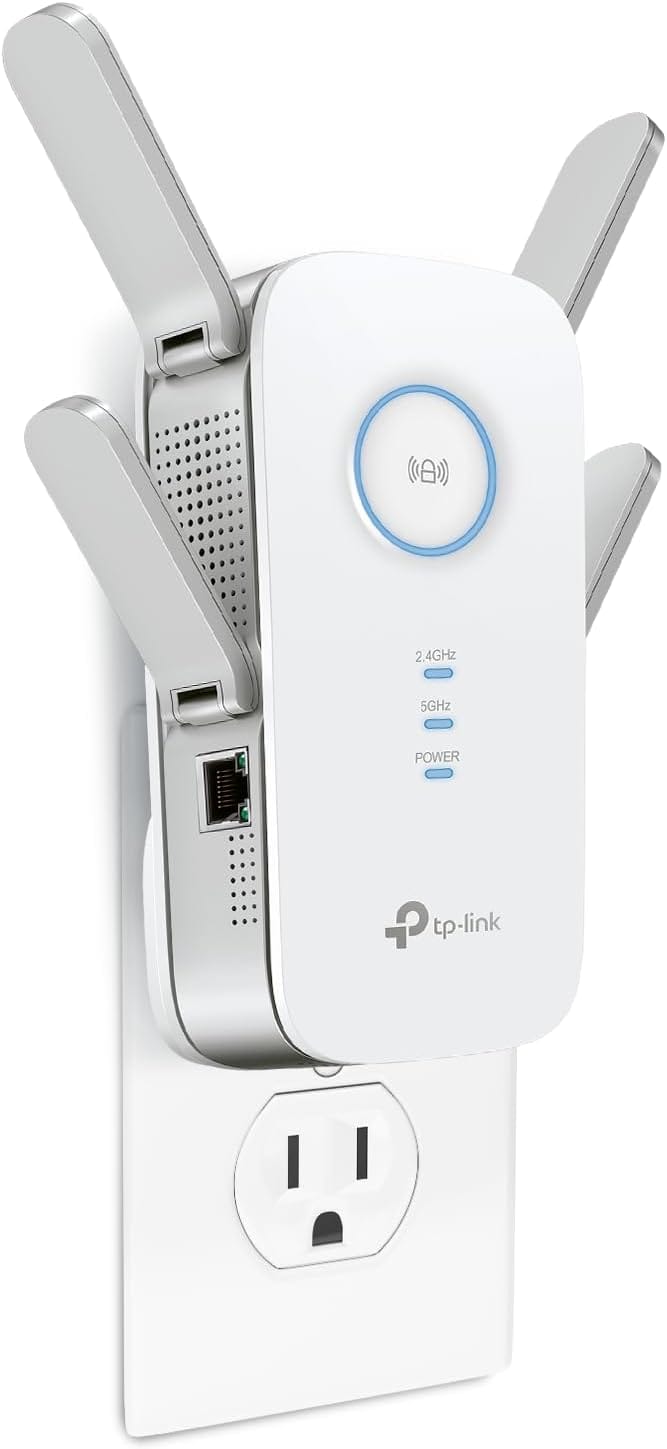
Best For: Most homeowners
Features:
- AC2600
- Beamforming
- Quad antennas
- Gigabit Ethernet
- Excellent stability
Great balance of performance and affordability.
- Extend the range of your Wi Fi with the dual-band RE650, compatible with any type of Router / Gateway / Access Point (2.4 GHz 800 Mbps / 5 GHz 1733 Mbps)
- Quad Antenna design for ultimate coverage for all areas of your home
- MU-MIMO Wave 2 technology allows the RE650 to communicate with multiple devices at once for optimal Performance between devices. Beamforming Technology sends targeted Wi Fi signal to individual devices for stronger connections
- Smart indicator lights help provide optimal placement. Should be installed between the Router and the desired area
- Gigabit Ethernet port connects wired devices to your network for high-speed connection
- Easy to install. Experience stable connections for any type of application, such as Retail POS, Internet, Gaming, Mobile phone, Alexa, Echo and more
- All Wi-Fi extenders are designed to increase or improve Wi-Fi coverage, not to directly increase speed. In some cases, improving signal reliability can affect overall throughput
Best for Gaming
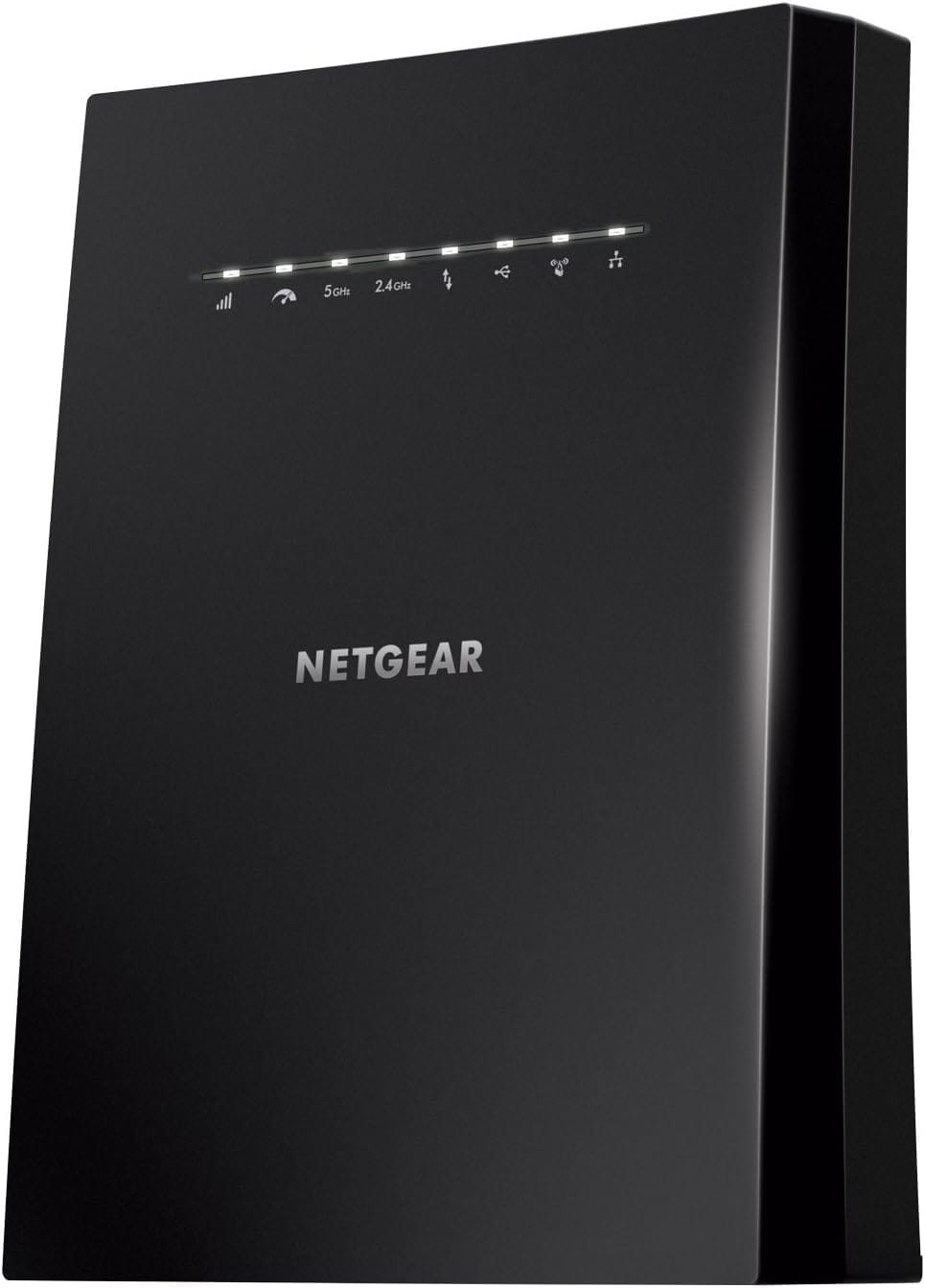
Ideal for:
- Xbox
- PlayStation
- PC gaming
- Streaming
- Large homes
Features include:
- Tri-band
- Fast roaming
- MU-MIMO
- Four Ethernet ports
- Extended wireless coverage: Adds Wi-Fi range coverage up to 2500 square feet, and connects up to 50 devices such as laptops, smartphones, speakers, IP cameras, tablets, IoT devices, and more
- Seamless smart roaming: Uses your existing network SSID name so you never get disconnected as you move around your home or office
- Ac3000 Wi-Fi speed: provides up to 3000mbps performance using tri-band and patented FastLane 3 (TM) technology for heavy-duty 4 K HD streaming and multi-player gaming
- Universal compatibility: Works with any wireless router, gateway, or cable modem with Wi-Fi
- Wired Ethernet ports: Simply plug in game consoles, streaming players, or other wired devices into the 4 Gigabit ports for maximum speed
Best Budget Pick
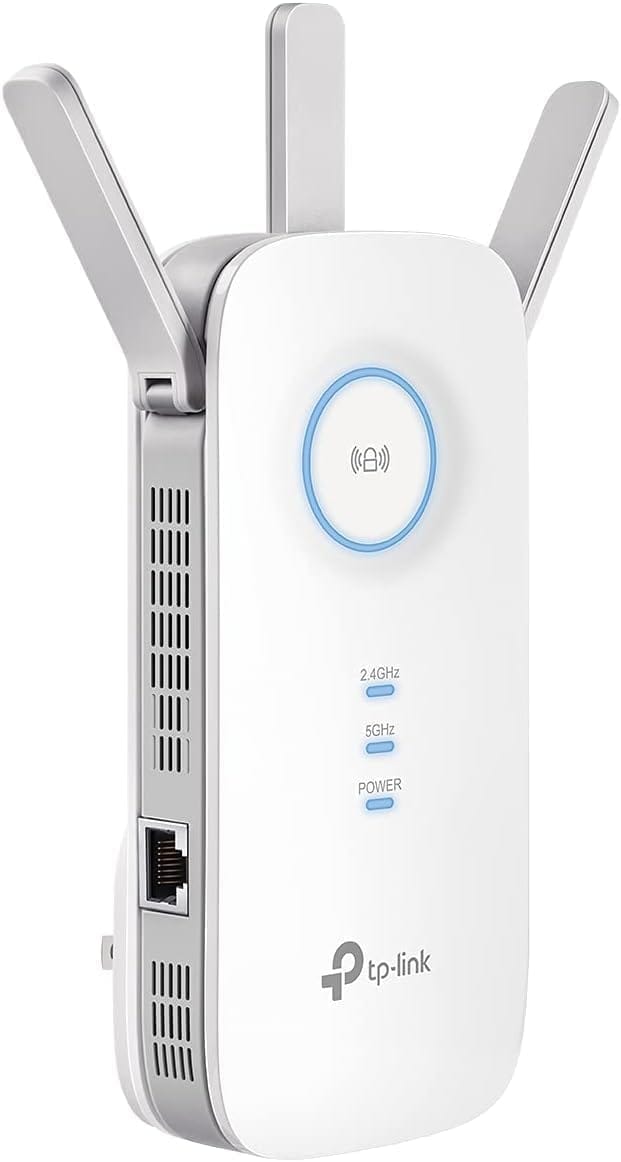
If you're simply trying to eliminate a few dead spots without spending a fortune, the RE550 remains one of Amazon's highest-rated budget extenders.
Features:
- AC1900
- Beamforming
- Gigabit Ethernet
- Simple setup
- Excellent reliability
- 𝐃𝐮𝐚𝐥-𝐁𝐚𝐧𝐝 𝐖𝐢𝐅𝐢 𝐄𝐱𝐭𝐞𝐧𝐝𝐞𝐫 𝐰𝐢𝐭𝐡 𝟏.𝟗 𝐆𝐛𝐩𝐬 𝐓𝐨𝐭𝐚𝐥 𝐁𝐚𝐧𝐝𝐰𝐢𝐝𝐭𝐡 - Extend your home network with speeds of up to 1300 Mbps (5 GHz) and up to 600 Mbps (2.4 GHz). ◇
- 𝐌𝐚𝐱𝐢𝐦𝐢𝐳𝐞𝐝 𝐂𝐨𝐯𝐞𝐫𝐚𝐠𝐞 𝐮𝐩 𝐭𝐨 𝟐𝟏𝟎𝟎 𝐒𝐪. 𝐅𝐭 - Three adjustable external antennas provide optimal Wi-Fi coverage and reliable connections, eliminating dead zones for up to 32 devices.
- 𝐎𝐮𝐫 𝐂𝐲𝐛𝐞𝐫𝐬𝐞𝐜𝐮𝐫𝐢𝐭𝐲 𝐂𝐨𝐦𝐦𝐢𝐭𝐦𝐞𝐧𝐭 - TP-Link is a signatory of the U.S. Cybersecurity and Infrastructure Security Agency’s (CISA) Secure-by-Design pledge. This device is designed, built, and maintained with advanced security as a core requirement.
- 𝐄𝐚𝐬𝐲𝐌𝐞𝐬𝐡-𝐂𝐨𝐦𝐩𝐚𝐭𝐢𝐛𝐥𝐞 - Easily expand your network for seamless, whole-home mesh connectivity by connecting the RE550 to any EasyMesh-compatible router. Not compatible with mesh WiFi systems like Deco.*
- 𝐃𝐨𝐞𝐬 𝐍𝐨𝐭 𝐈𝐧𝐜𝐫𝐞𝐚𝐬𝐞 𝐒𝐩𝐞𝐞𝐝𝐬 - Please note that all Wireless Extenders are designed to improve WiFi coverage and not increase speeds. Actual speeds will be 50% or less from current speeds. However, improving signal reliability can boost overall performance
- 𝐖𝐢𝐅𝐢 𝐄𝐱𝐭𝐞𝐧𝐝𝐞𝐫 𝐰𝐢𝐭𝐡 𝐆𝐢𝐠𝐚𝐛𝐢𝐭 𝐄𝐭𝐡𝐞𝐫𝐧𝐞𝐭 𝐏𝐨𝐫𝐭 - Experience wired speed and reliability anywhere in your home by connecting your favorite device to the gigabit Ethernet port.
- 𝐒𝐦𝐚𝐫𝐭 𝐀𝐝𝐚𝐩𝐭𝐢𝐯𝐞 𝐑𝐨𝐚𝐦𝐢𝐧𝐠 - Seamlessly move throughout your home with automatic connections to the strongest signal, ensuring uninterrupted coverage and optimal performance.
Where Should You Place a WiFi Extender?
Placement is critical.
The extender should be positioned:
- Halfway between your router and the dead zone
- Where it still receives a strong signal
- Away from microwaves
- Away from thick concrete walls
- Elevated whenever possible
Poor placement is the number one reason people experience disappointing performance.
WiFi Extender vs Mesh WiFi
WiFi Extender | Mesh WiFi |
|---|---|
Lower cost | Higher cost |
Easy installation | More complete coverage |
Uses existing router | Replaces router system |
Great for isolated dead zones | Best for the entire home |
Excellent budget option | Premium performance |
A traditional extender is usually best for a few problem rooms, while mesh is the better choice when you want one system across the entire network.
Can a WiFi Extender Increase Internet Speed?
Not exactly.
A WiFi extender cannot make your internet connection faster than what your ISP provides.
However, it can:
- Deliver stronger signal strength
- Reduce dropped connections
- Improve video streaming
- Increase usable speeds and more consistent data delivery in weak areas
- Reduce buffering in hard-to-reach areas
It can also help maintain steadier performance during video calls, but it does not provide more bandwidth than your main connection.
Many users experience dramatically faster downloads simply because their devices finally receive a strong signal.
Indoor vs Outdoor WiFi Extenders
Outdoor-rated models are designed for:
- Farms
- Barns
- Shops
- RV parks
- Campgrounds
- Detached garages
- Backyards
- Security camera systems
These models often include weather-resistant housings and directional antennas for extended outdoor coverage.
Tips for Maximum WiFi Range
To get the best results:
- Keep firmware updated
- Place the router centrally
- Avoid metal obstructions
- Use the 5 GHz band for speed
- Use 2.4 GHz for maximum distance
- Upgrade older routers if necessary
- Restart networking equipment occasionally
Frequently Asked Questions
What is the difference between a WiFi extender and a WiFi booster?
The terms are often used interchangeably, and a WiFi booster is also commonly described as a repeater or wifi range extender. Both devices extend wireless coverage by rebroadcasting your existing WiFi signal.
Do WiFi extenders really work?
Yes. For most people, they work best when used to extend WiFi into a few weak rooms rather than trying to cover a very large house with one plug-in unit. When placed correctly, they can significantly improve coverage, eliminate dead zones, and provide a stronger signal to distant devices.
How far can a long-range WiFi extender reach?
Depending on the model and environmental conditions, some extenders advertise coverage up to 10,000–12,000 square feet. Actual performance depends on walls, interference, and router placement.
Is WiFi 6 worth it?
Absolutely. WiFi 6 offers better efficiency, faster speeds, lower latency, and improved performance with many connected devices. For most people, WiFi 6 is still the sweet spot, and the best WiFi extender is the one that matches your speed tier and usage rather than just the newest standard; WiFi 6E and WiFi 7 make more sense if you need support for more devices, more data throughput, or newer premium hardware.
Can I use multiple WiFi extenders?
Yes. In very large homes or buildings, multiple extenders can provide broader coverage, though a mesh WiFi system may offer a more seamless experience. Be aware that stacking extenders can create a separate extended network unless the models support mesh features or a single-SSID setup.
Final Thoughts
A long range WiFi extender is one of the best investments you can make if you're dealing with weak signals, dropped connections, or frustrating dead zones. Whether you're trying to reach a detached garage, stream movies upstairs, work from a backyard office, or connect security cameras around a large property, the right extender can dramatically improve your wireless experience without replacing your existing router.
For most users, the TP-Link RE715X offers the best balance of performance, value, and WiFi 6 features, with solid performance and TP-Link’s lineup generally known for easy setup through the Tether app, as seen on models like the RE605X. Those with demanding smart homes or gaming setups may benefit from the NETGEAR EAX80, while budget-conscious shoppers will find the TP-Link RE550 provides excellent coverage at a lower price.
By choosing an extender with modern WiFi standards, proper placement relative to the main router, and the right coverage rating for your space, you'll enjoy stronger, more reliable wireless connectivity throughout your home or property, and you can also switch one to access point mode with an Ethernet cable when you want stronger performance than repeater mode alone. Order today!